Tools for people who
live in the terminal.
A free AI-powered SSH client for macOS. Pro iOS tools for network engineers on the go. One-time purchases. No subscriptions, no tracking, no ads.
 ProSSH Mac
✦ Free forever · macOS
ProSSH Mac
✦ Free forever · macOS
 ProSSH
SSH Client — iOS — €14.99
ProSSH
SSH Client — iOS — €14.99
 NetKit Pro
Network Toolkit — iOS — €4.99
NetKit Pro
Network Toolkit — iOS — €4.99
ProSSH Mac
AI-powered SSH client for macOS · Open source · MIT licensed
No App Store purchase · No account · MIT licensed · Build from source or clone
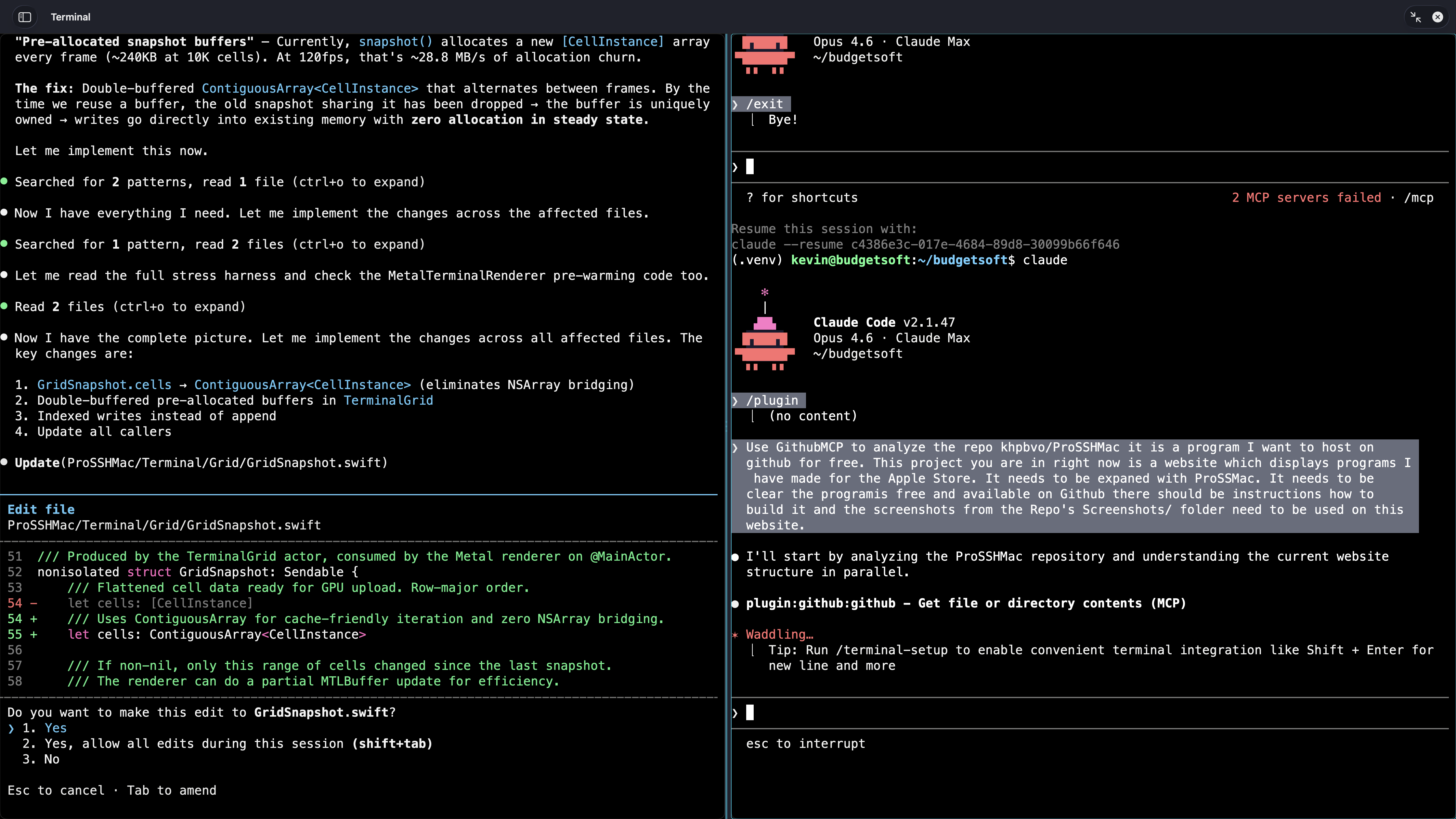
Watch the AI Copilot in action
It reads your terminal, plans changes, and executes only after you approve. Nothing hidden. Full audit trail.
The AI SSHes into the MikroTik, reads existing firewall rules, generates an address list, shows a precise unified diff — and applies it only after you click Approve.
From a single prompt: the AI configures a PPP profile, adds a secret (dial-in user), and confirms the result — all through approved commands. Nothing executed behind your back.
More screenshots
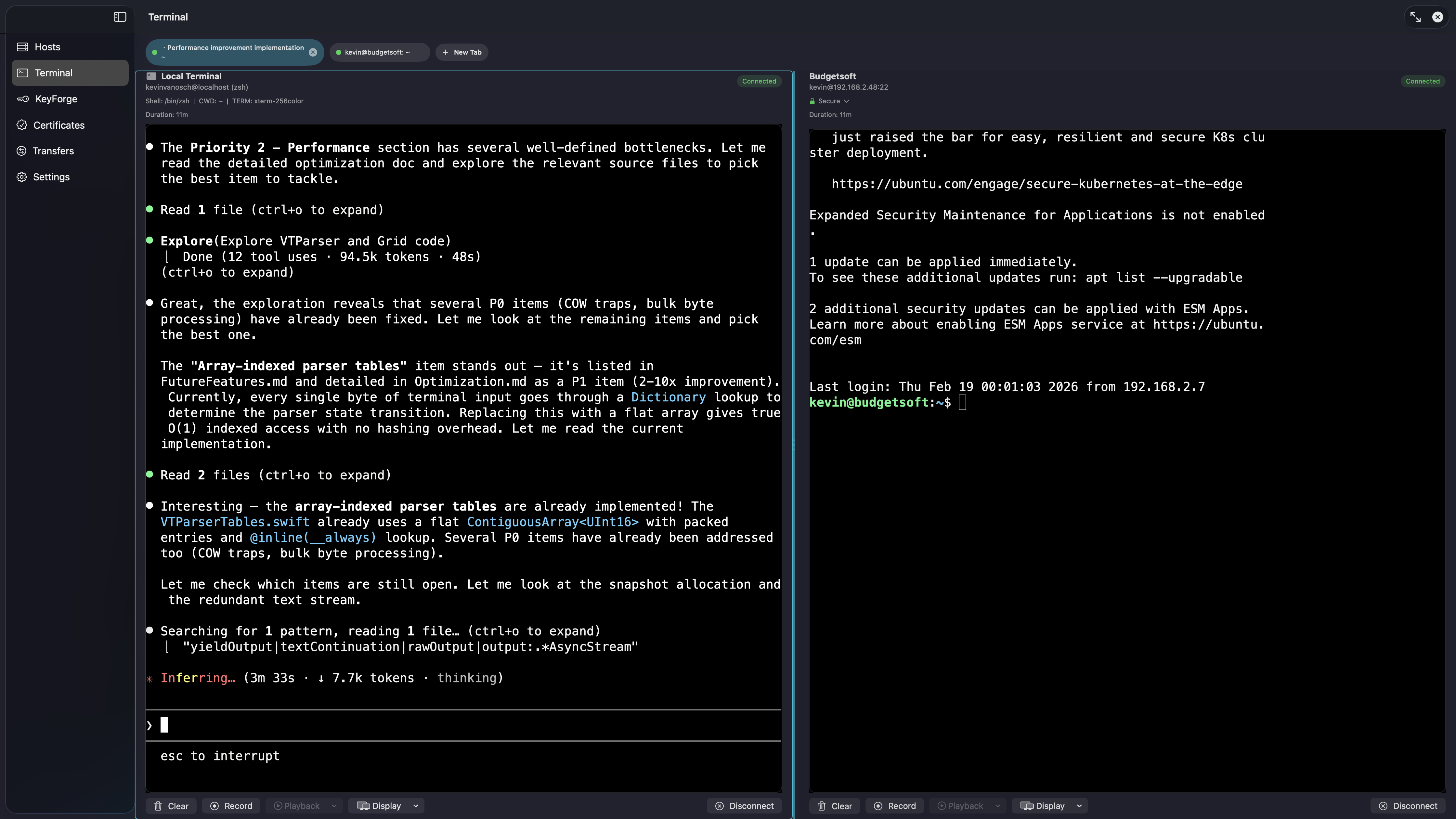
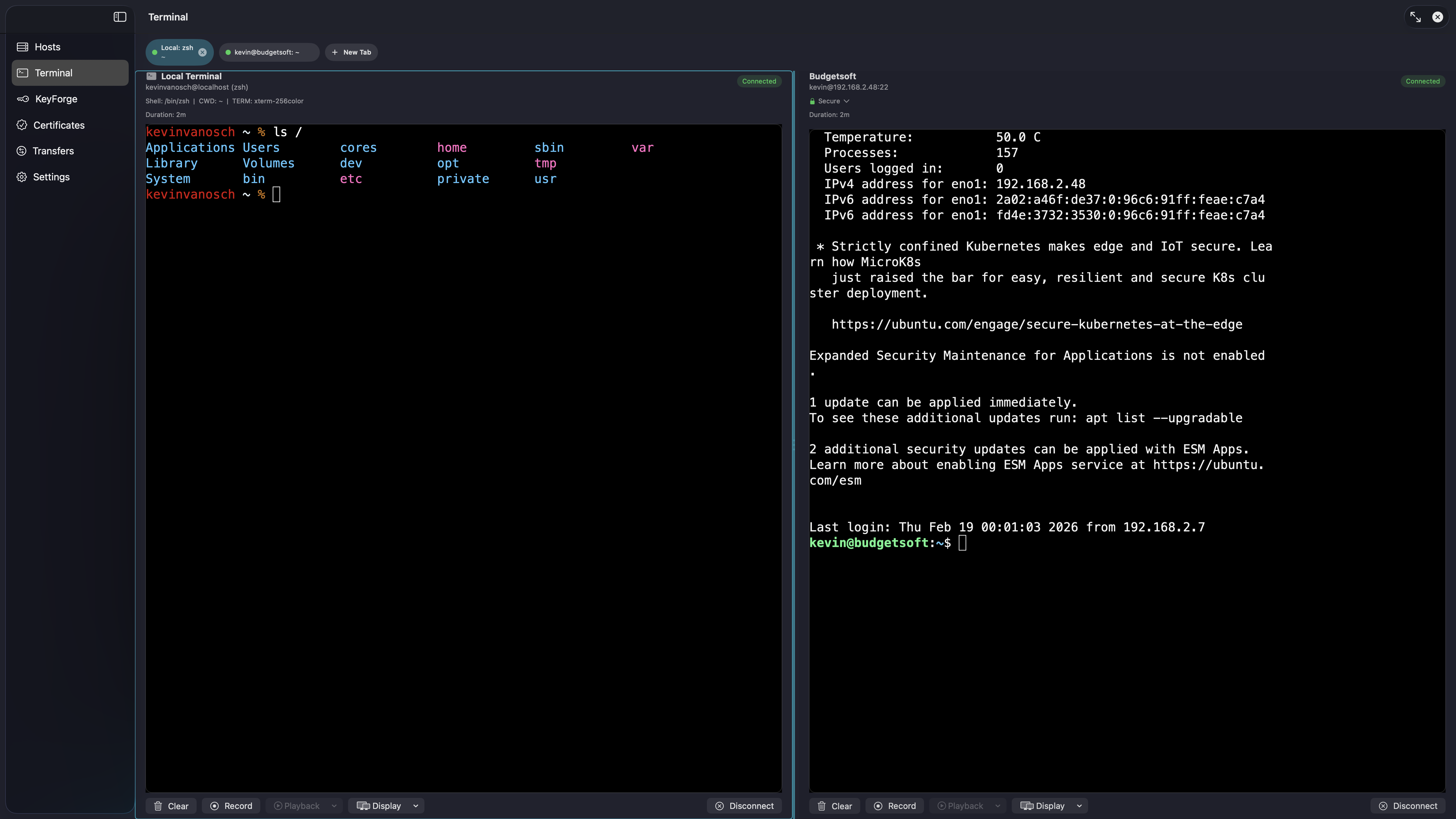
Running in 30 seconds
Clone the repo, open in Xcode, press ⌘R. That's it.
ProSSH
Professional SSH Client for iPhone & iPad
Pro-grade SSH for iOS. Operator speed.
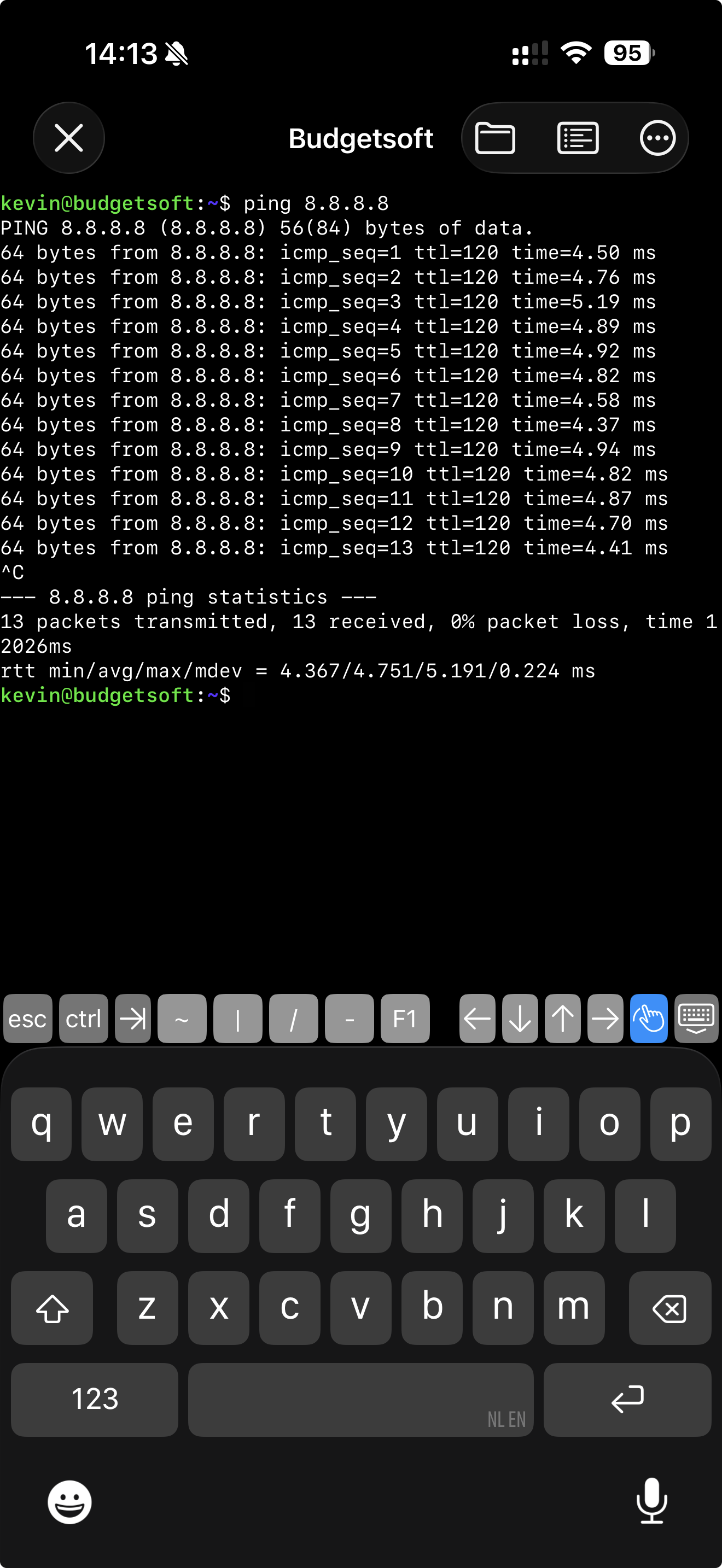
A dark-mode-first SSH client for iPhone and iPad — full xterm-256color terminal, multi-host management, Ed25519/RSA key management, SFTP file transfers, and port forwarding. No clutter, no compromises.
Terminal
Full xterm-256color
Host Manager
Organize connections
Key Management
Ed25519 & RSA
SFTP Transfers
Browse & upload files
NetKit Pro
Network Toolkit for iPhone & iPad
12 network tools. No ads. No bullshit.
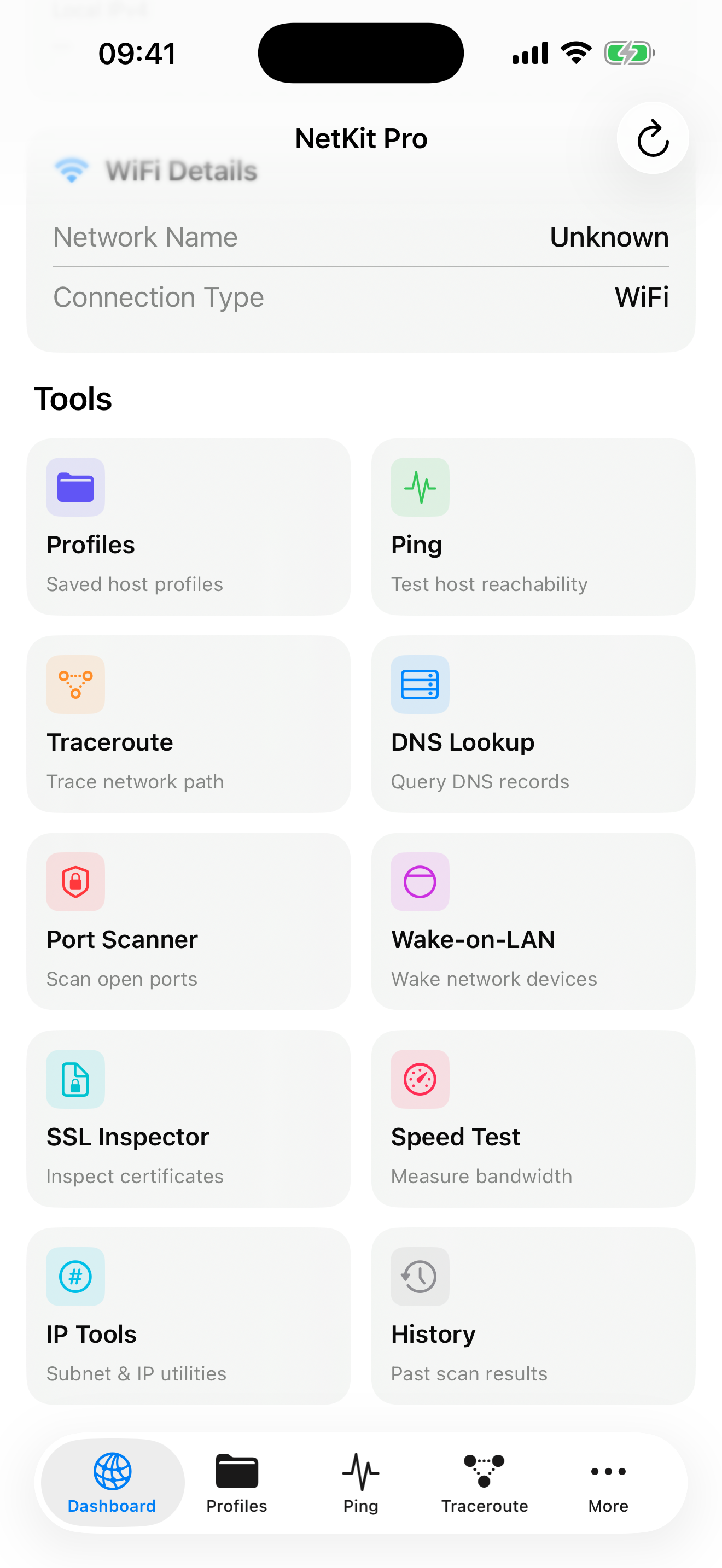
Everything a network engineer needs on iPhone and iPad — speed test, ping, traceroute, DNS lookup, port scanning, SSL inspection, Wake-on-LAN, IP tools, host profiles, history, and more.
Speed Test
Download & upload
Traceroute
Visual route mapping
DNS Lookup
Query any record type
SSL Inspector
Certificate analysis
+ Ping, Port Scanner, Wake-on-LAN, Host Profiles, IP Tools, Widgets, History
Software should respect you.
We build tools the way they should be built — for engineers, by engineers. No dark patterns. No extraction. Just good software.
No subscriptions
Pay once, own forever. No recurring fees, no locked features, no "premium" tiers. ProSSH Mac is free forever — no catch.
No tracking
No analytics, no telemetry, no data collection. Your SSH sessions stay on your device. The AI Copilot uses your own API key — no backend middleman.
No ads
Clean interfaces, always. No banners, no interstitials, no sponsored content — in any of our apps, at any price.