
AI copilot meets SSH. Open source.
A GPU-accelerated SSH client for macOS with an AI terminal copilot that reads your screen, plans changes, and executes only after you approve. Free forever. MIT licensed.
No App Store purchase · No account required · MIT license · macOS 26+ (Tahoe) · v0.9.0
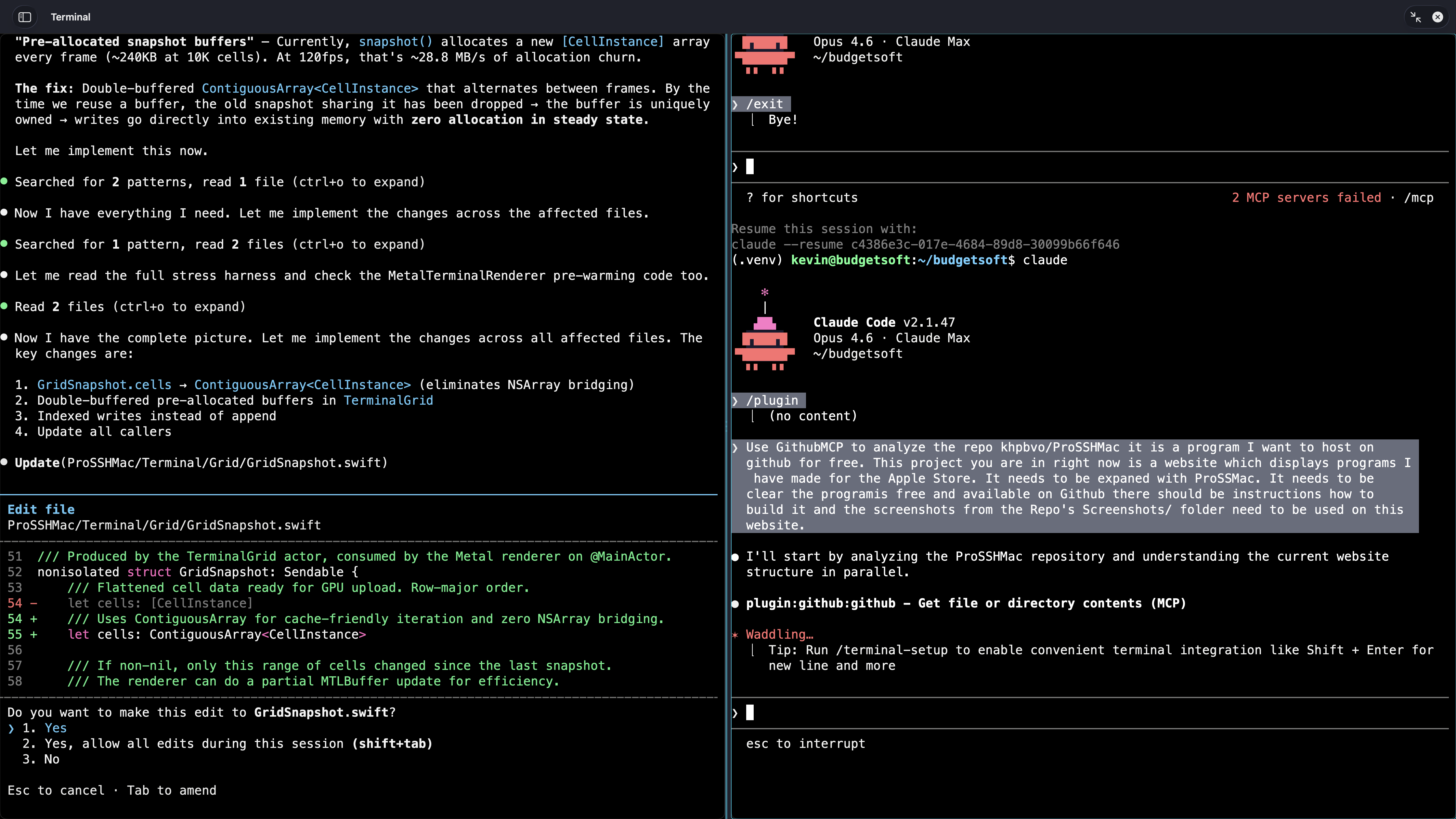
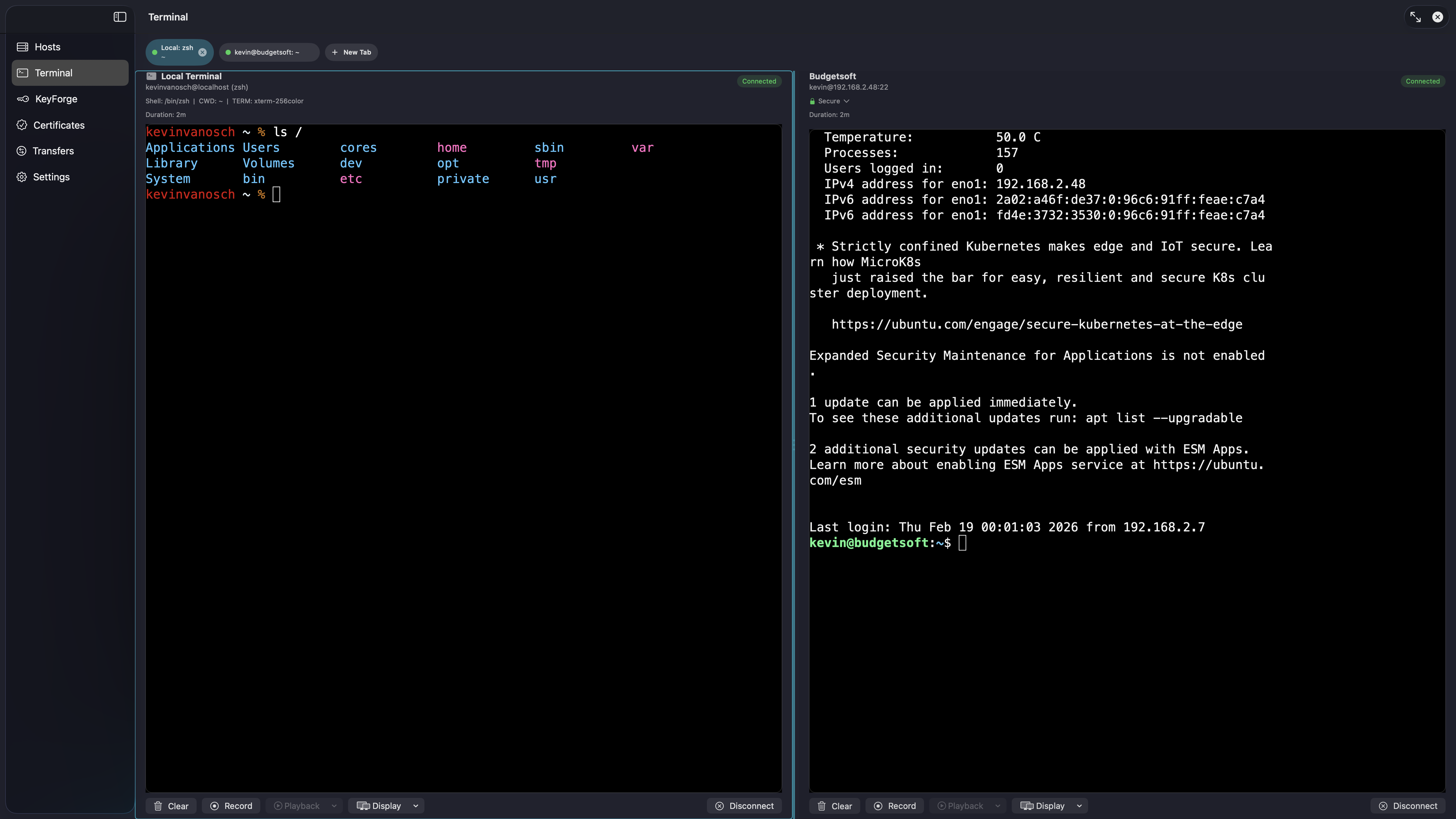
Multi-pane split views — manage multiple SSH sessions simultaneously
Watch the AI Copilot work
Real demos on a real MikroTik router. It reads the terminal, plans the change, shows you the diff — and waits for your click.
The AI SSHes in, reads existing rules, generates an address list, shows a precise diff — and applies it only after you click Approve.
From a single prompt: PPP profile configured, secret (dial-in user) added, result confirmed — all through approved commands. Nothing executes without your consent.
"Who needs CCNA when you've got ProSSH?"
SSH into a MikroTik, ask the AI to audit your firewall, watch it inspect every rule, generate a precise patch, show you a diff — and wait for your click before touching anything.
Everything included
One clone. Zero cost. Full feature set.
- ✦AI Terminal Copilot — 11 tools, 200 iterations, conversation memory
- ✦Multi-provider AI: OpenAI, DeepSeek, Mistral, Ollama (local)
- ✦GPU-accelerated terminal (Metal) — up to 120 fps, 14–16% faster rendering
- ✦Local PTY terminal sessions & tabs
- ✦Multi-pane split views with broadcast input (⌘⇧B)
- ✦KeyForge — key management, CA & TOTP 2FA
- ✦SFTP file transfers & browser with real-time progress
- ✦Smooth scrolling with momentum physics & rubber-band overscroll
- ✦Visual effects: CRT, Matrix, scanner, text glow/bloom, gradients
- ✦Session recording & asciinema export
- ✦Quick commands & Siri Shortcuts
- ✦Jump host / bastion server support
- ✦MikroTik, Cisco, Juniper, Arista & more
- ✦Legacy SSH & algorithm control
- ✦SSH config import & host folders
- ✦Port forwarding & audit logging
- ✦Touch ID & Secure Enclave
- ✦MIT licensed — free forever
More screenshots
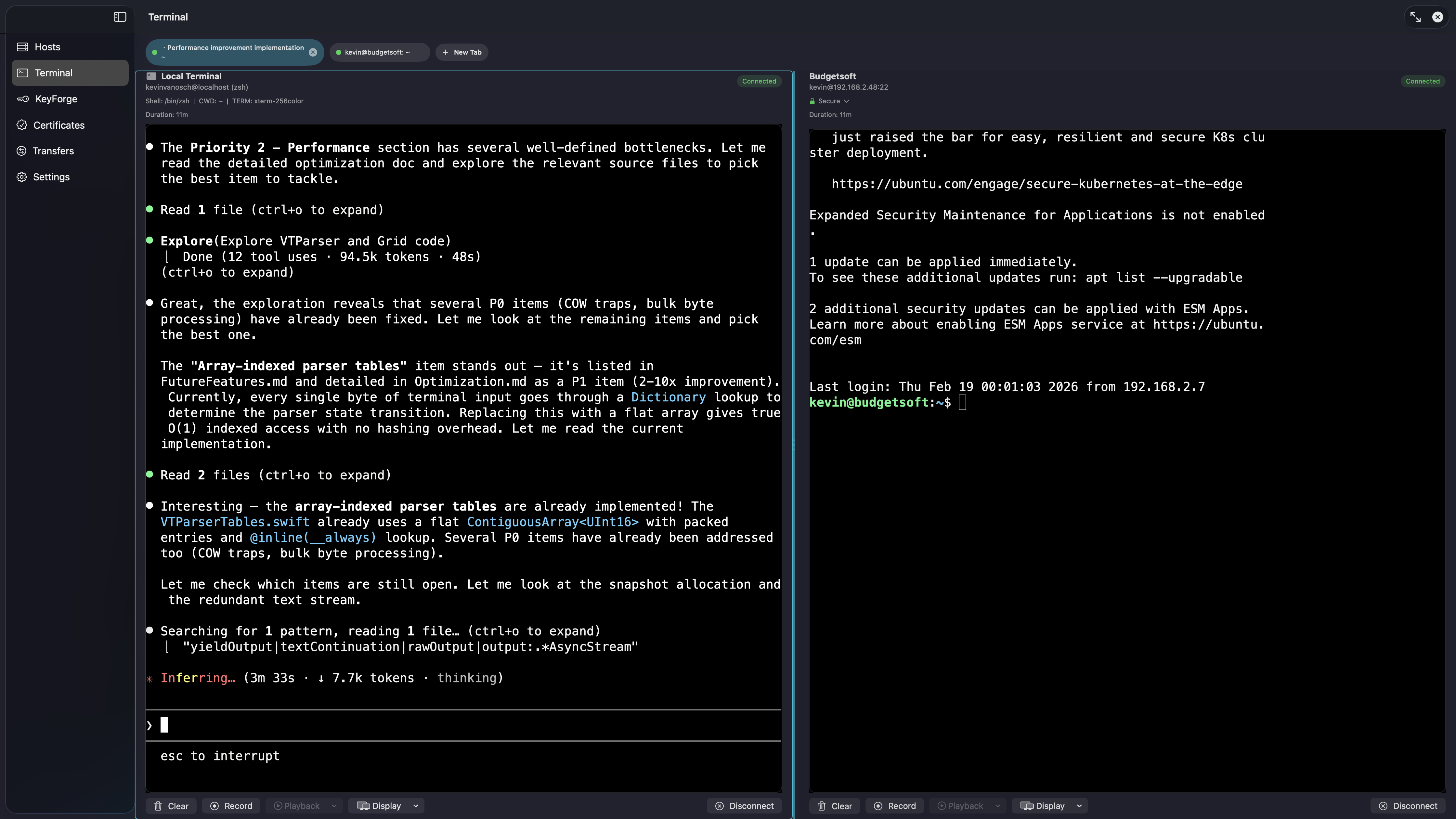
Build from source
Clone the repo, open in Xcode, run with ⌘R. That's it.
AI-powered terminal
Built-in AI copilot reads your screen, searches history, browses files, and executes commands — locally and via SSH. Supports OpenAI, DeepSeek, Mistral, and Ollama (local, no cloud needed). BYOK.
Security-first design
KeyForge key management, built-in CA, Secure Enclave, Touch ID, TOTP 2FA, AES-256-GCM encryption, TOFU host verification, and a full audit log.
Free & open source
MIT licensed. Clone, build, modify, contribute. No App Store purchase, no account, no restrictions. ProSSH Mac is free to use forever.